Hot-Swap RGB Gasket Mount Keyboard with Control Knob
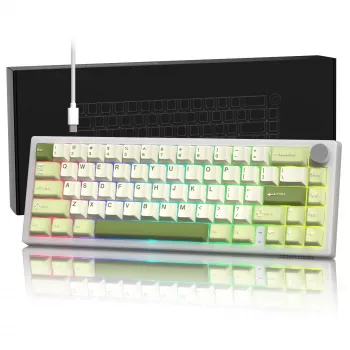
Hot Swap RGB Mechanical Gaming Keyboard with Gasket Mount & Control Knob
A keyboard can shape everything from how confident movement feels in a tight firefight to how comfortable long typing blocks are for school or work. This hot swap RGB mechanical gaming keyboard is built for a smoother, more refined experience with a gasket-mounted structure, hot-swappable switches, per-key RGB lighting, and a dedicated control knob for quick adjustments. The result is a board that’s easier to personalize, easier to maintain, and more comfortable to use across games, chat, and everyday productivity. For more guidance, see RGB Mechanical Keyboard & Gaming Setup Glossary.
What makes this keyboard different
- Gasket-mounted structure designed to soften bottom-out and reduce harsh vibration during long sessions.
- Hot-swap switch support for easy switch changes without soldering (useful for tuning feel and sound).
- RGB lighting for visibility and personalization across games, setups, and room lighting conditions.
- Control knob for quick, one-handed adjustments (commonly used for volume, media, or scrolling tasks).
- Gaming-ready mechanical feel with a focus on stability, consistency, and customization.
Gasket mount feel and why it matters in gaming
Gasket mounting is popular because it changes how impact and vibration travel through the keyboard. Instead of the internal assembly making harder contact with the case, a gasket mount typically uses a softer material between the plate/assembly and the case, helping dampen impact and reduce sharp resonance. For further reading, see Recommend 75% swappable keyboard – Geekhack.
- Softer bottom-out can reduce perceived finger fatigue during long matches or repeated inputs (MMO rotations, rhythm games, rapid strafing in FPS titles).
- More controlled sound is common—often less “ping” and a more muted tone—though the final result depends on switches, keycaps, and any internal foam.
- Consistency across the deck can make it easier to transition between typing and competitive play without the board feeling harsh or uneven.
- Stability on larger keys is improved when stabilizers are properly seated; the mount style can help reduce case-driven vibration that exaggerates rattle.
For general background on mechanical keyboard construction and terminology, the Deskthority wiki is a solid reference: https://deskthority.net/wiki/.
Hot-swap switches: customizing feel without soldering
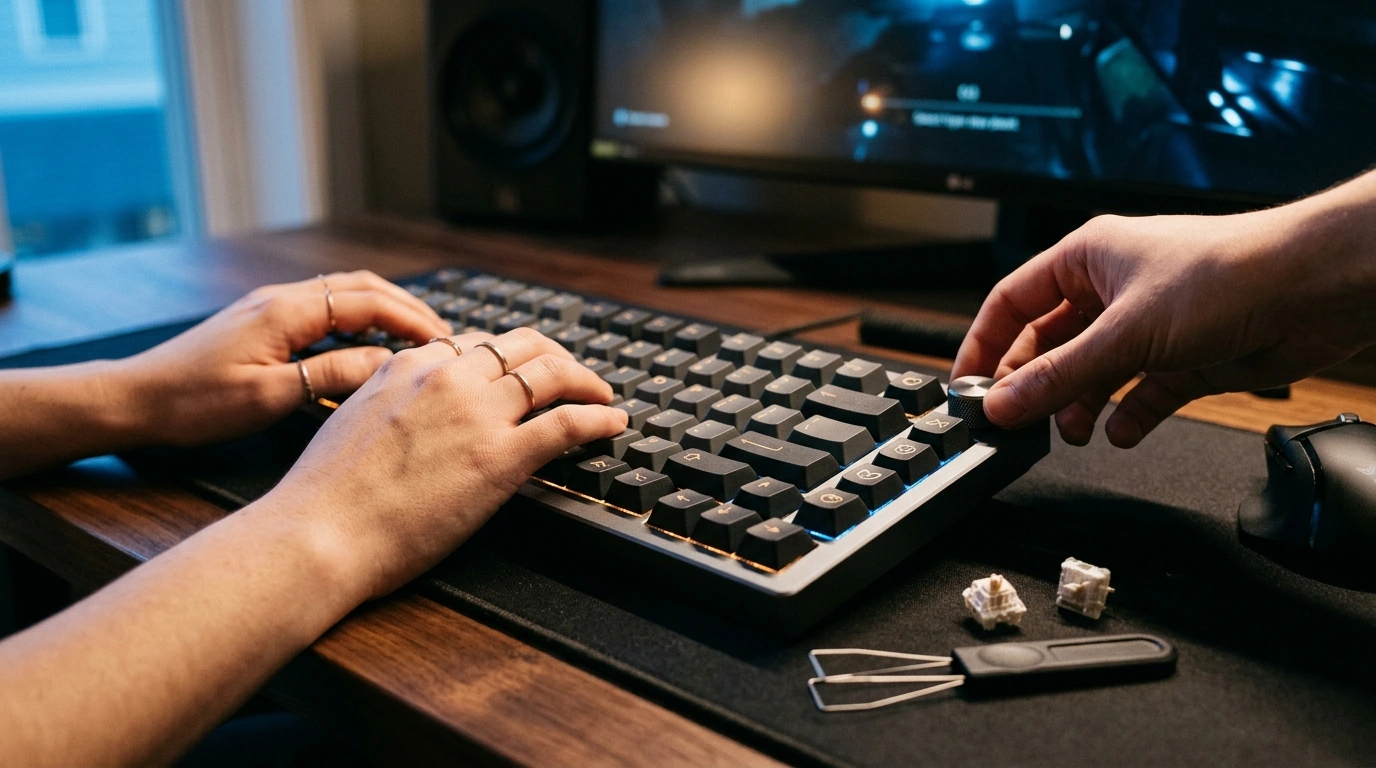
Hot-swap sockets are a major quality-of-life upgrade because they let you remove and replace switches with a puller—no soldering iron, no complicated teardown. That makes it far easier to tune the board for your preferred mix of speed, feedback, and sound.
- Choose switches by playstyle: lighter linears for rapid taps, tactiles for clearer feedback, clicky switches for pronounced actuation cues.
- Swap a single faulty switch instead of troubleshooting the entire keyboard.
- Mix-and-match different switches for different zones—some players prefer a different feel for WASD, ability keys, or the spacebar.
- Best practice: insert switches straight down with aligned pins to avoid bending; never force a switch into the socket.
If you want manufacturer-level context on hot-swap hardware, Kailh is one of the well-known socket makers: https://www.kailhswitch.com/.
RGB lighting that’s practical and customizable
RGB isn’t just about looks. When it’s adjustable and thoughtfully used, lighting can add real utility—especially in dim rooms, late-night sessions, or multi-purpose setups where the keyboard is used for both gaming and work.
- Better visibility helps reduce mis-presses when the room is dark or your monitor brightness is low.
- Per-key highlights can emphasize important clusters like WASD, the number row, or frequently used macros for faster recognition.
- Tunable brightness and animation speed keeps lighting from becoming distracting in competitive play.
- Consistent themes can match a PC build, desk LEDs, or streaming backgrounds.
- Profile support (when available) makes it easy to keep a “game” setup and a separate “work” setup.
Some keyboards support QMK/VIA-style configuration workflows; VIA’s configurator is here: https://usevia.app/.
Control knob: quick adjustments without leaving the game
Comfort, build, and everyday usability
Setup and tuning checklist
At-a-glance feature summary
| Feature | What it does | Why it helps |
|---|---|---|
| Gasket mount | Adds isolation between internal assembly and case | Softer keystrokes and reduced harshness during long sessions |
| Hot-swap sockets | Enables switch changes without soldering | Quick customization and simpler maintenance |
| RGB lighting | Adjustable lighting effects and brightness | Visibility and personalized setups |
| Control knob | Physical dial for mapped functions | Faster volume/media changes while gaming |
| Mechanical switches | Distinct actuation feel vs. membrane | Consistency and responsiveness for play and typing |
Products in stock
- Hot Swap RGB Mechanical Gaming Keyboard with Gasket Mount & Control Knob $78.51 — a flexible starting point for hot-swap experimentation, with a gasket-mounted feel and a fast-access knob.
- Premium 8-Piece Barber Cutting & Styling Kit for Real Hair Wigs $26.67 — a practical add-on for personal grooming routines between work, school, and gaming nights.
- No-Pull Reflective Adjustable Dog Harness with Easy Strap-On Design $23.51 — a handy pick for quick, comfortable walks to reset between long desk sessions.
FAQ
Can switches be changed without soldering?
Yes—hot-swap sockets are designed so you can pull the keycap, remove the switch with a switch puller, then align the pins and press the new switch straight down. Avoid forcing a switch into the socket, and check for bent pins if a key doesn’t register after swapping.
What does a gasket mount change compared to a standard tray-mounted keyboard?
A gasket mount typically softens bottom-out and reduces harsh case vibration by isolating the internal assembly from the case. It often produces a more muted, controlled sound, though the exact feel and tone vary with switches, keycaps, and any internal dampening.
What is the control knob typically used for?
Most users map it to volume up/down and press-to-mute, while others use it for play/pause, track skip, or scrolling. The available functions depend on the keyboard’s firmware or software support.








Leave a comment