Travel Safety Handbook: Scams, Wi-Fi, and Fast Fixes
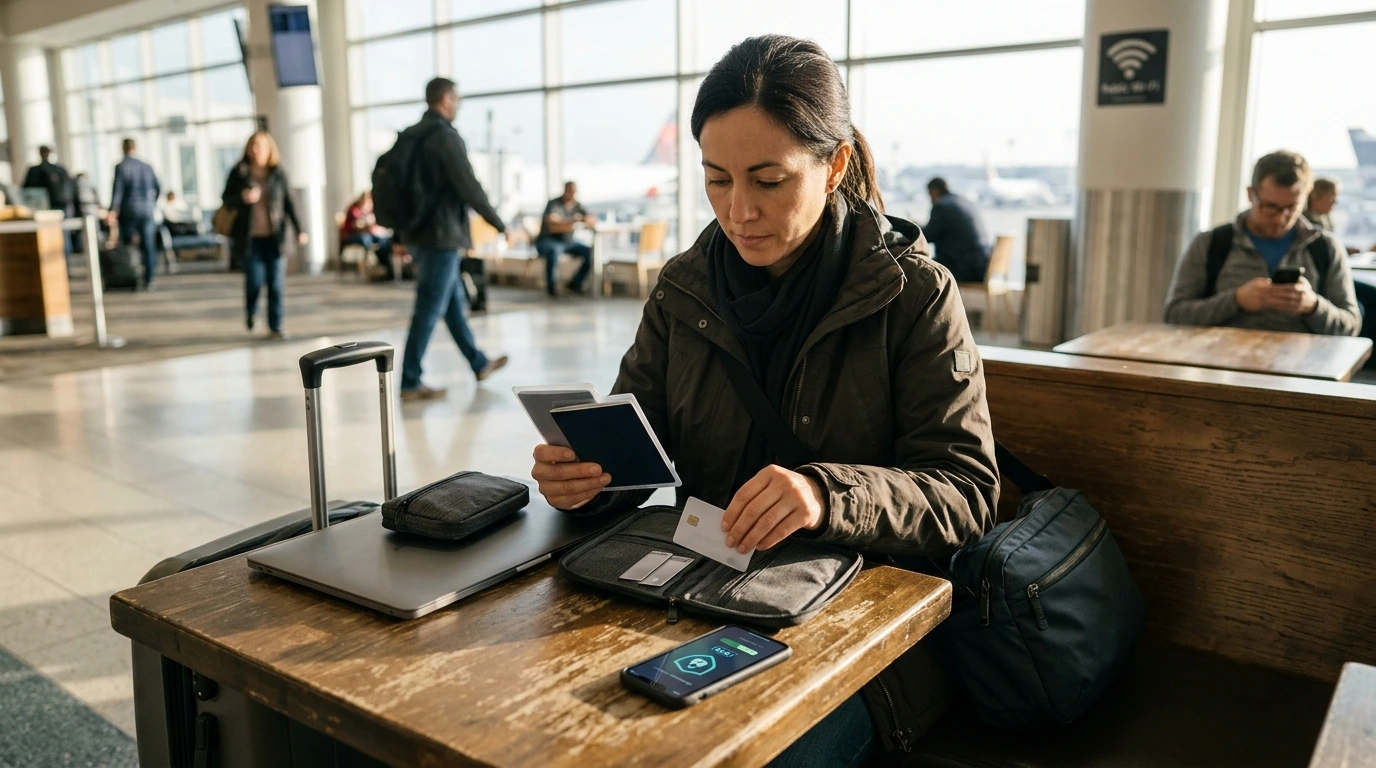
Travel Security and Scam Awareness Handbook for Tourists, Solo Travelers, and Business Trips
Staying safe while traveling is a mix of street smarts, digital hygiene, and calm decision-making under pressure. The goal isn’t to be paranoid—it’s to reduce easy opportunities for thieves, avoid common tourist traps, and have a simple response plan if something goes wrong. Whether you’re navigating a new city solo or racing between meetings on a business trip, the habits below help you protect your money, your identity, and your devices without slowing you down.
Before Departure: Set Up a Safer Baseline
The easiest security wins happen before you leave home. A little prep makes problems smaller—and faster to fix.
- Document essentials: Store digital copies of your passport/ID, visas, travel insurance, and key reservations in an encrypted vault and an offline (downloaded) folder.
- Lock down accounts: Enable multi-factor authentication (an authenticator app is preferable), update recovery email/phone, and review recent logins for anything unfamiliar.
- Harden devices: Update your OS/apps, turn on full-disk encryption, use a strong passcode (not a 4-digit PIN), and activate “Find My”/remote wipe.
- Minimize exposure: Remove unused apps, disable auto-join Wi‑Fi, turn off Bluetooth when you’re not using it, and restrict lock-screen notifications.
- Financial prep: Add a low-limit travel card for daily purchases and keep a backup payment method physically separate.
- Itinerary sharing: Share a lightweight plan with a trusted contact plus check-in expectations if you’re traveling alone.
- Pack smart: Split valuables (cash/cards/ID) across locations; consider RFID-blocking as a minor layer—not a guarantee.
If you want a single reference you can save to your phone, print, or keep in your travel folder, the Travel Security & Scam Awareness Guide | Digital Safety Handbook for Tourists, Solo Travelers & Business Trips is a handy companion for checklists and quick decision rules.
On the Ground: Situational Awareness Without Paranoia
Most travel problems happen during transitions—arrivals, crowded lines, and moments of distraction. Keep your awareness “light but on.”
- Arrivals are high-risk moments: Plan transport from the airport/train station in advance, and confirm pricing rules before entering any vehicle.
- Blend in: Avoid counting cash openly, keep phone use brief in dense crowds, and use crossbody bags with zippers in busy transit zones.
- Hotel safety basics: Say your room number quietly (or point), check door locks, use the peephole, and keep a grab-and-go pouch for essentials.
- Solo traveler routines: Choose well-lit routes, vary patterns, and keep a short excuse ready to exit uncomfortable conversations.
- Business travel habits: Avoid discussing company details in rideshares and hotel lobbies, and keep work devices attended during meetings.
Traveling with a pet? A reflective accessory can help during early-morning walks in unfamiliar neighborhoods. The No-Pull Reflective Adjustable Dog Harness with Easy Strap-On Design adds visibility and control when you’re navigating new sidewalks, hotel exits, and busy crossings.
Common Travel Scams and How to Shut Them Down
| Scam pattern | Common setting | Red flags | Safer move |
|---|---|---|---|
| Taxi/rideshare overcharge | Airports, tourist hubs | No meter, vague price, “card reader broken” | Use official queue/app; agree on fare or meter before departure |
| Distraction pickpocketing | Crowded transit, markets | Bumping, spilled liquid, sudden commotion | Secure bag front-side; move away; check pockets discreetly |
| ATM “help” or skimmer | Street ATMs, convenience stores | Strangers offering help; loose card slot | Use bank ATMs; cover PIN; cancel if anything feels off |
| Fake police/inspection | Tourist areas | Demand for cash on the spot; pressure to hand over wallet | Ask for ID; move to a public place; call an official number yourself |
| QR/menu/payment trap | Cafes, events | Unfamiliar domains; forced app installs | Type the URL manually; use contactless from a trusted wallet where possible |
| “Free” gift/bracelet/photo | Sights and plazas | Item placed on you; immediate demand for money | Firm refusal; keep walking; don’t negotiate |
Digital Safety on Public Wi‑Fi, Hotel Networks, and Work Trips
For destination-specific safety guidance and travel advisories, consult authoritative sources like the U.S. Department of State, the UK Foreign travel advice, and Europol’s crime prevention resources.
Money, IDs, and Personal Data: Preventing the Most Expensive Mistakes
On longer trips, keeping your routine stable can also reduce distraction. Comfortable downtime gear like the Cozy Velvet Winter Pajama Set for Boys can be useful for family travel—especially when everyone’s sleep is affected by jet lag and unfamiliar rooms.
If Something Goes Wrong: A Fast Response Plan
Printable Checklists and a Ready-to-Go Reference
If you prefer having all of that organized in one place, keep the Travel Security & Scam Awareness Guide | Digital Safety Handbook for Tourists, Solo Travelers & Business Trips alongside your itinerary so you can review it during check-ins, airport waits, or before heading out at night.
FAQ
What are the most common scams targeting tourists in major cities?
The most common scams include distraction pickpocketing, taxi or rideshare overcharging, fake officials demanding on-the-spot payments, “free gift” pressure tactics, ATM “help” or skimmers, and QR/menu/payment traps. If someone adds urgency, confusion, or surprise fees, step aside and verify through official channels.
Is hotel Wi‑Fi safe for banking or work email?
Hotel Wi‑Fi can be risky because it’s a shared network and can be spoofed by lookalike hotspots. Use cellular data or a personal hotspot for sensitive logins, and consider a reputable VPN as an extra layer when you must use public networks.
What should be done first if a phone is stolen while traveling?
Immediately remote-lock or locate the phone with Find My (or the equivalent), then change your email password first and revoke active sessions. Next, contact your carrier to lock the SIM and freeze payment cards tied to the device if you suspect unauthorized access.











Leave a comment